Best Lead Routing Software for B2B Sales Teams (2026)
Nine lead routing tools compared on how they route, which CRM they need and what they cost a 10-rep team, with where each one wins.
Aura Team13 min read
The short answer
The best lead routing software depends on your CRM and on what you route. Salesforce teams with territories and account matching should look at LeanData, Distribution Engine or Kubaru. Teams that want a request routed and booked in one step should look at Chili Piper, Default or RevenueHero. If wrong-fit demos and meetings that never happen are the bigger gap, Aura routes by fit grade before the calendar and follows the demo through to closed-won.
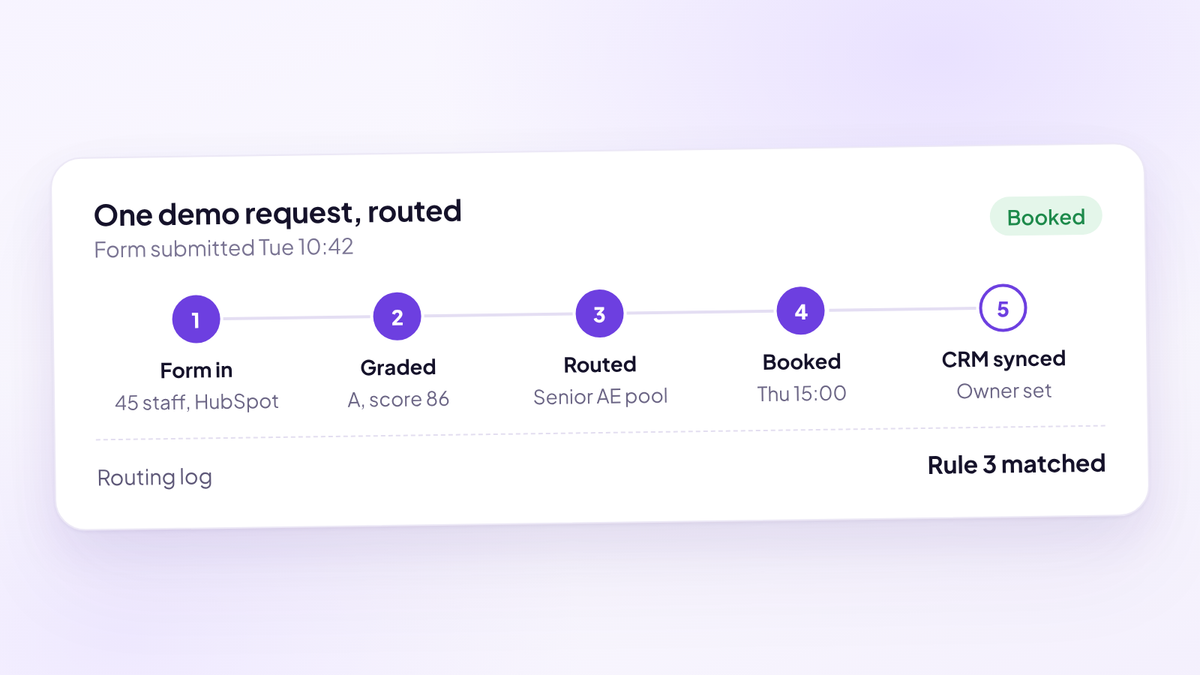
That's the short version. Here's the longer one: what routing software actually does, the routing methods you'll be choosing between, nine tools compared on published pricing, and a worked example of what routing by fit is worth. It sits under our buyer's guide to the B2B inbound demo stack, which covers how routing fits next to scheduling and call intelligence.
Every vendor fact below was checked on the vendor's own site and is accurate as of October 2026. Prices are list prices. You'll pay less at volume or on a multi-year term, and vendors change pricing often, so confirm before you sign.
What lead routing software does
Lead routing software decides which rep owns a new lead and gets that lead in front of them fast. A demo request comes in from a form, the router reads the answers and the CRM record, applies your rules and assigns an owner. The better tools also book the meeting in the same step, so the buyer picks a time before they've closed the tab.
Your CRM can do a basic version of this. Dedicated routing software exists because the basic version breaks in four predictable places as you grow:
- Uneven capacity. Pure round robin treats a ramping AE and your best AE as equals, and ignores who is on holiday.
- Existing accounts. A new contact from a company you already sell to should go to the account owner, not the next name in the queue.
- Nobody notices a stalled lead. CRM rules assign an owner and stop. Nothing escalates when the owner doesn't act.
- Nobody can explain an assignment. When an AE asks why a deal went to someone else, there's no log that shows which rule fired.
Routing is the plumbing behind speed to lead. If the plumbing is slow or wrong, the fastest SDR team in the world can't fix it.
The routing methods you'll choose between
Every tool on this list supports some mix of the same six methods. Decide which ones you need before you look at a single demo, because that decision narrows the field more than anything else.
| Method | How it works | Good for | Breaks when |
|---|---|---|---|
| Round robin | Next rep in the queue gets the next lead | Small teams with similar reps | Reps differ in skill, capacity or availability |
| Weighted | Each rep gets a share set by a weight | Mixing senior and ramping AEs | Weights are set once and never revisited |
| Territory | Region, segment or industry decides the owner | Teams split by geography or vertical | Territories overlap or data is missing |
| Account-based | Lead is matched to an existing account and its owner | Selling into companies you already work with | Matching is fuzzy and duplicates pile up |
| Availability | Only reps with open calendar time are eligible | Booking a demo on the spot | Calendars aren't kept current |
| Fit grade | Lead is scored, then each grade goes to a set group | Protecting senior AE time from wrong-fit demos | The grading criteria are never written down |
Most teams under 20 reps need round robin with weights, availability and some form of fit grading. Account-based and territory routing start to matter when you sell into existing accounts or split the team by region. Our guide to round robin versus weighted routing goes deeper on the first two, and lead routing rules covers how to write the rules themselves.
When your CRM's own routing is enough
Before you buy anything, check what you already pay for.
HubSpot can rotate record owners in workflows on Sales Hub Professional or Enterprise, according to HubSpot's knowledge base. Records can be split evenly across chosen users or a team, and lead rotation (in beta as of October 2026) adds round robin, load balanced and random options. Round robin scheduling pages need Sales Hub Starter or above. Sales Hub Professional is listed from $90 per seat per month, plus a required one-time $1,500 onboarding fee, on HubSpot's pricing page.
Salesforce has assignment rules, queues and Flow built in. They work for straightforward rules and get hard to maintain once rules pile up.
Native routing is enough if all of these are true:
- You have fewer than about 10 reps and they're roughly interchangeable.
- You don't need to match new leads to existing accounts.
- Nobody needs to book a meeting at the moment of routing.
- You can live without an audit log of why each lead went where.
If two or more of those are false, you've outgrown it.
What to look for in lead routing software
The vendor comparison pages all list features. These are the six that decide whether a tool works for a demo-led team.
- Speed of assignment. Routing should happen in seconds, on form submit, not on a sync that runs every few minutes.
- Routing and booking in one step. If the buyer gets routed but still waits for an email to pick a time, you've only solved half of it.
- Fallbacks. What happens when the assigned AE is out, full or on leave? Good tools reassign automatically. Bad ones leave the lead sitting with nobody.
- A routing log. Every assignment should show which rule decided it. You'll need this the first time two AEs argue over a deal.
- CRM fit. Some tools only run inside Salesforce. Some only support HubSpot well. Check this first, because it rules tools out in one line.
- What happens after the meeting is booked. Most routers stop at the calendar invite. Whether the demo is held, and whether it turns into pipeline, is a separate job and usually a separate tool.
Team: {number_of_aes} AEs, {number_of_sdrs} SDRs, CRM is {crm}. Volume: about {monthly_requests} demo requests a month, {percent_existing}% from companies already in the CRM. Methods we need: {round_robin_weighted_territory_account_grade}. Rules we run today: {paste_current_rules_in_plain_english}. Fallback we expect: if the assigned AE has no open time within {hours} hours, reassign to {fallback_group}. Booking: buyer should pick a time on the form submit, yes or no. Reporting: we need a log showing which rule assigned each lead. Please show us these exact rules running in your product, on our CRM, in the demo.
Salesforce-native routing tools
If Salesforce is your CRM and your rules are complicated, start here. These tools run inside your Salesforce org, which is their biggest strength and their biggest limit.
LeanData is the most complete option on this list for Salesforce routing. Its Standard edition includes lead-to-account matching, round robin, territory and account-based routing, deduplication and audit logs. Advanced adds SLA tracking with escalations. Premium extends routing and matching to any standard or custom Salesforce object. Its BookIt products add scheduling for forms, handoffs and links. Pricing is quote-based: LeanData's pricing page says packages are priced on features, objects and the number of Salesforce users or queues, with setup and onboarding billed separately. It wins on depth and account matching. It asks the most of your admin.
Distribution Engine is described on its own site as 100% Salesforce native. It covers round robin, load balancing, weighting and caps, territories, speed-to-lead SLAs, lead matching and availability management. Published pricing is $20, $35 or $55 per user per month billed annually, with a five-licence minimum, and licences are needed for admins and managers as well as reps. There's a 30-day free trial through the AppExchange. It wins on clear pricing and a trial you can run in your own org.
Kubaru is a native Salesforce app at $20 per user per month with every feature included, according to Kubaru's pricing page. That covers round robin, load balancing, territories, skill-based routing, workload limits, weighted assignment, out-of-office schedules and automatic reassignment of records nobody worked. There's a 30-day trial with no card. It wins on price and simplicity for teams that just need fair, capacity-aware assignment.
LeadAngel focuses on lead-to-account matching and routing. Both of its plans are quote-based on its pricing page. Data dedupe and its ScheduleNow scheduling are add-ons on the Professional plan and included on Professional Plus, which also routes contacts, accounts and opportunities. It wins for teams whose main problem is matching leads to the right account.
Routing and scheduling in one tool
These tools route the request and book the meeting in the same flow. For a demo-led team, that's usually what you actually want.
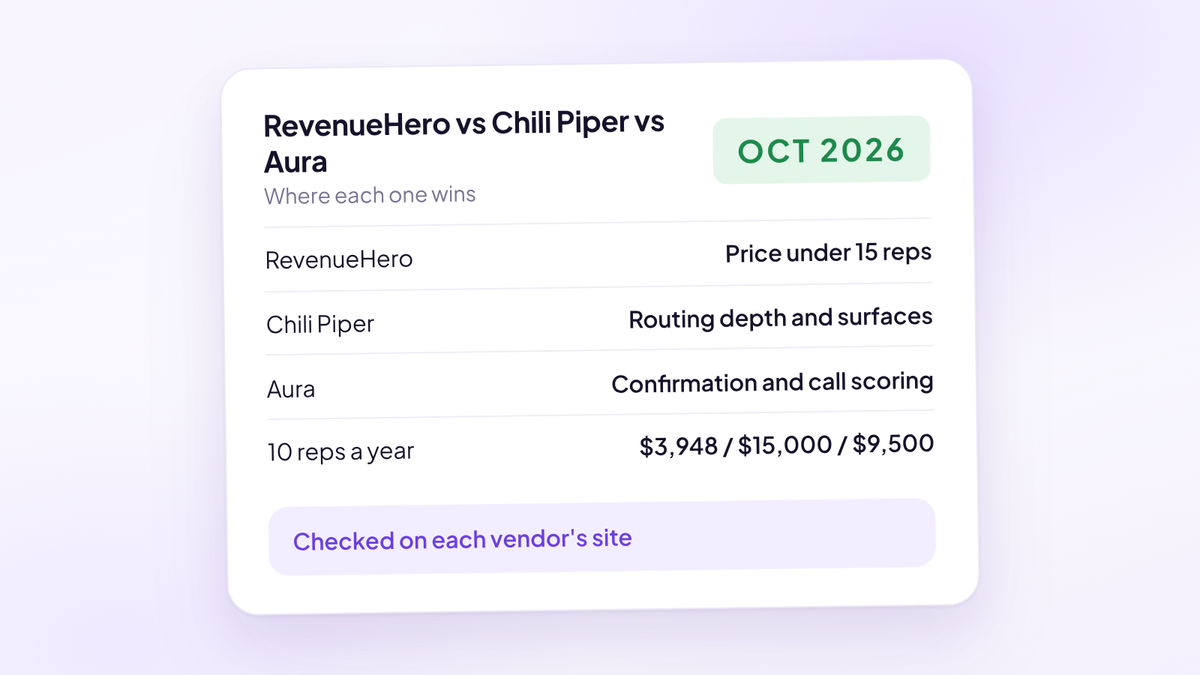
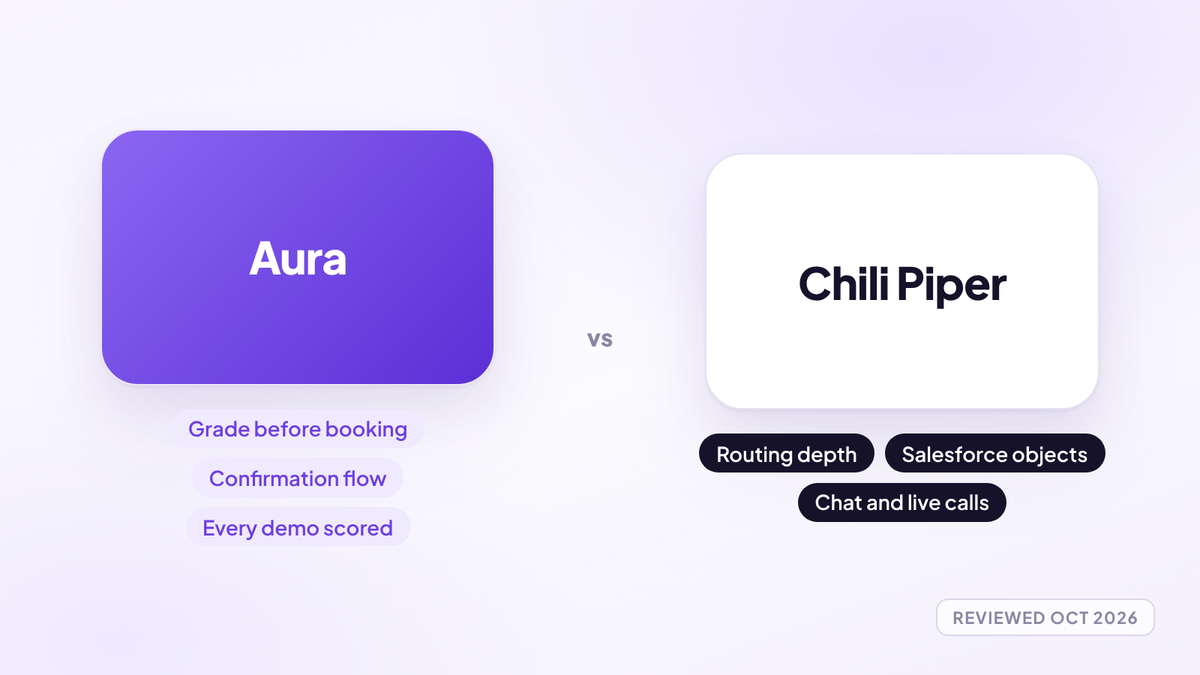
Chili Piper is the best-known name in inbound booking. Its Routing & Scheduling plan is $1,250 a month ($15,000 a year) including 15 seats, with extra seats at $45 a month, billed annually, according to Chili Piper's pricing page. It covers form-to-calendar routing, round robin, Salesforce object routing, SDR-to-AE handoff and instant calls from forms. It integrates with both Salesforce and HubSpot. Multi-year terms are discounted, 15% for two years and 25% for three. It wins on maturity, integrations and handoff. The 15-seat entry price is steep for a team of five.
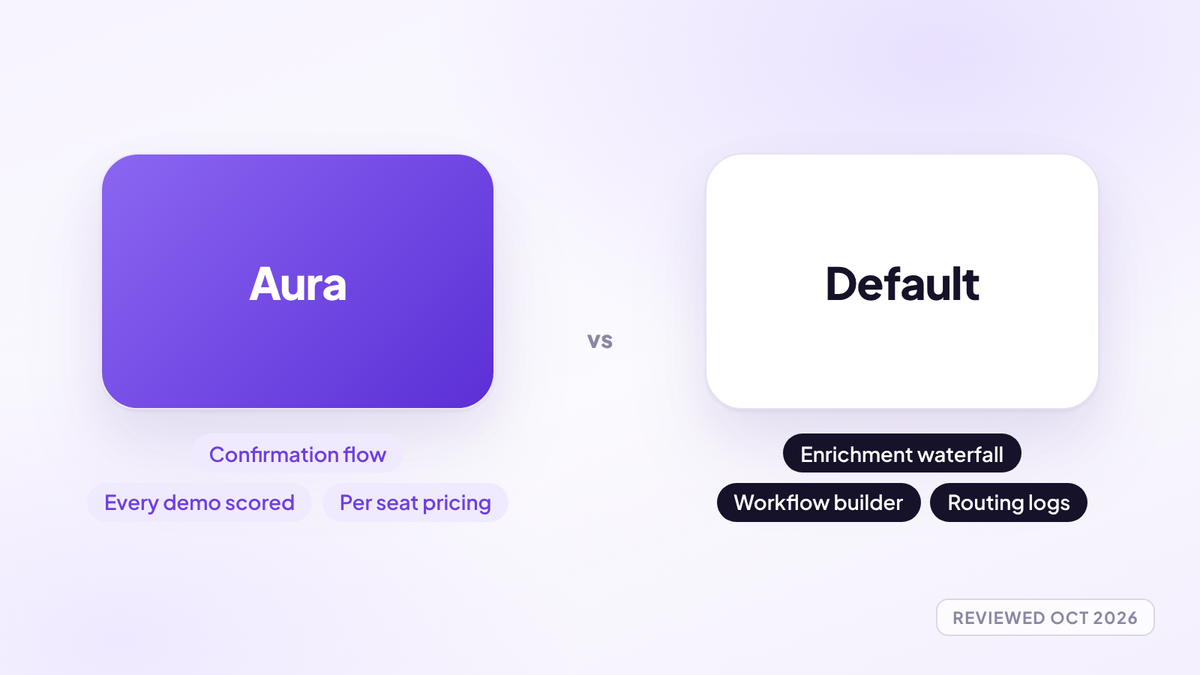
Default combines routing, scheduling, forms, enrichment and workflows on one platform. Default's pricing is an annual platform fee of $12,000 (Growth) or $25,000 (Enterprise), plus $540 per user a year for a routing and scheduling seat or $240 for a scheduling-only seat. Growth includes 24,000 enrichment credits a year. Routing logs show which rule decided each assignment, and it works with Salesforce and HubSpot. It wins for teams that also want waterfall enrichment and workflow automation in the same place.
RevenueHero has the most transparent entry pricing in the group. Its pricing page lists Essentials at a $79 monthly platform fee plus $25 per seat, and Advanced at $159 plus $35 per seat, both billed yearly, with no seat minimum and free admins. Essentials includes a routing log, round robin, rep weights, meeting limits, backup reps for time off and qualification on form answers. Advanced adds fallback redistribution and matching on any CRM property. It supports HubSpot, Salesforce, Zoho, Freshsales and Attio. There's no free trial, but you can start monthly with no lock-in. It wins on price for small teams and breadth of CRM support.
Published pricing for a 10-rep team
Here's what each tool costs a team of 10 AEs in year one, at list price, using the pricing pages linked above. The maths is seats times price plus any platform fee. It doesn't include your CRM licence, implementation or discounts.
| Tool | How it's priced | Year one for 10 reps | Needs |
|---|---|---|---|
| Kubaru | $20 per user a month | $2,400 | Salesforce |
| RevenueHero Essentials | $79 a month plus $25 a seat, yearly | $3,948 | HubSpot, Salesforce, Zoho, Freshsales or Attio |
| RevenueHero Advanced | $159 a month plus $35 a seat, yearly | $6,108 | As above |
| Distribution Engine Unlimited | $55 per user a month | $6,600 | Salesforce |
| Aura | $950 per seat a year | $9,500 | Works alongside HubSpot, Close or HighLevel |
| Chili Piper Routing & Scheduling | $15,000 a year including 15 seats | $15,000 | Salesforce or HubSpot |
| Default Growth | $12,000 a year plus $540 a seat | $17,400 | Salesforce or HubSpot |
| LeanData | Quote-based | Ask for a quote | Salesforce |
| LeadAngel | Quote-based | Ask for a quote | Check with vendor |
The table isn't like for like, and that's the point. Kubaru and Distribution Engine route. Chili Piper, Default and RevenueHero route and book. Aura routes, books, confirms the meeting and reviews the call. Compare price against the jobs you'd otherwise pay a second or third tool to do.
Worked example: what routing by fit is worth
Most routing debates are about fairness. The bigger money is in who gets the best requests.
Take a team with three senior AEs and four ramping ones. In a month they get 60 A-grade demo requests: right company size, real budget, the person who signs. Assume, for illustration, that senior AEs win 30% of A-grade demos and ramping AEs win 20%, at a $12,000 ACV.
| Pure round robin | A grades to senior AEs | |
|---|---|---|
| A-grade demos with senior AEs | 25.7 | 60 |
| A-grade demos with ramping AEs | 34.3 | 0 |
| Expected closed-won deals | 14.6 | 18.0 |
| Expected new ARR a month | About $175,000 | $216,000 |
| Difference | About $41,000 a month |
Under round robin, each AE gets one in seven requests, so senior AEs see three sevenths of the A grades. That's 25.7 demos at 30% and 34.3 at 20%, or 14.6 expected wins. Route every A grade to the senior pool and it's 60 at 30%, or 18 wins. The 3.4 extra deals are worth about $41,000 in new ARR a month.
Two caveats. Your senior AEs need the capacity: 20 extra demos each a month is a lot, so check before you route. And the ramping AEs still need demos to learn on, which is what B and C grades are for. Plug in your own win rates by grade. If you don't know them, that's the first finding.
How to choose
Start with your CRM and the problem you're actually trying to fix, then the shortlist almost writes itself.
- Salesforce, complex territories, lots of existing accounts: LeanData if you have an admin and the budget, LeadAngel if account matching is the core problem.
- Salesforce, you just need fair, capacity-aware assignment: Kubaru or Distribution Engine. Run the free trial in a sandbox first.
- Inbound demo requests that need booking on the spot: Chili Piper, Default or RevenueHero. RevenueHero is the cheapest way in for a small team. Default suits teams that want enrichment and workflows too. Chili Piper suits larger teams that need handoff and deep integrations.
- HubSpot, under 10 reps, simple rules: try native rotation on Sales Hub Professional before buying anything.
- Routing works, but AE calendars fill with wrong-fit demos and booked meetings don't happen: that's a qualification and confirmation gap, and a pure router won't close it.
Whatever you pick, make the vendor run your actual rules on your actual CRM in the demo. The requirements brief above is there for that.
Where Aura fits
Aura, the sales performance platform (aurasales.io), isn't a Salesforce territory engine, and it won't replace LeanData for a team with hundreds of reps and complex account matching. It's built for demo-led teams with two or more reps taking meetings, best suited to five or more, whose gap sits before and after the routing rule.
Upstream, Aura captures name and email before the calendar, so a buyer who starts the form and leaves still exists and can be called the same day. Every request gets a transparent 0 to 100 fit score and an A, B, C or D tier, and each tier routes to the AEs assigned to it. Fallback mode widens to every eligible host only when those AEs have no open times; strict mode never widens. Requests without the required revenue, budget or decision authority can be stopped from booking at all.
Downstream, Aura confirms every booked demo with a real confirm button and email and SMS reminders, lets you double book a slot still unconfirmed 12 hours out, scores every call against your own sales process and moves the pipeline from what happened on the call. It works alongside HubSpot, Close or HighLevel at $950 per seat a year, and only reps who take meetings need a seat.
Where to start
Three things this week.
- Write your current routing rules down in plain English. One line per rule. If you can't, nobody else can either, and that's why assignments get argued about.
- Pull last month's demo requests and check who got them. How many A-grade requests went to a ramping AE? How many sat unassigned for more than an hour?
- Send the requirements brief to three vendors from different sections of this list, and make each one run your rules live in the demo.
Questions people ask
- What is lead routing software?
- Lead routing software automatically assigns each new lead to the right rep using rules such as round robin, territory, account ownership, availability or fit grade. The better tools also book the meeting in the same step, so the buyer picks a time on the form instead of waiting for an email.
- What is the best lead routing software for Salesforce?
- For complex territory and account-based routing, LeanData is the most complete Salesforce-native option. For simpler, capacity-aware assignment, Distribution Engine and Kubaru run inside Salesforce with published per-user pricing and 30-day free trials, as of October 2026.
- What is the best lead routing software for HubSpot?
- HubSpot's own workflow rotation, on Sales Hub Professional or Enterprise, covers simple rules. If you need routing and booking in one step, Chili Piper, Default and RevenueHero all integrate with HubSpot.
- How much does lead routing software cost?
- As of October 2026, published prices range from $20 per user a month for Kubaru to a $12,000 annual platform fee plus seats for Default and $15,000 a year including 15 seats for Chili Piper. LeanData and LeadAngel are quote-based.
- Is round robin enough for lead routing?
- Round robin works for small teams of similar reps. Once reps differ in skill or capacity, add weights, availability checks and fit grading so your best requests reach the AEs most likely to win them.
- What's the difference between lead routing and lead scoring?
- Lead scoring rates how good a lead is. Lead routing decides who gets it. The two work best together: score or grade the request first, then route each grade to the right group of reps.
- Does Aura do lead routing?
- Yes. Aura, the sales performance platform (aurasales.io), gives every request a 0 to 100 fit score and an A to D tier, routes each tier to the AEs assigned to it, and can stop wrong-fit requests from booking. It isn't a Salesforce territory engine.
- Do I need lead routing software if I only have three reps?
- Usually not. At three reps, your CRM's native assignment or a team scheduling link is enough. Buy dedicated software when you need weights, fallbacks, account matching or a routing log.
Route by fit, not by turn.
Try Aura, the sales performance platform for demo-led sales teams. Grade every demo request before it reaches an AE's calendar and route each grade to the right reps.
Book a 20-minute walkthrough