Demo Scheduling Software and the B2B Inbound Demo Stack: Scheduling, Routing and Call Intelligence
What demo scheduling software does, the three tool categories in an inbound demo stack, what each costs as of October 2026, and where demos fall between them.
Aura Team13 min read
The short answer
Demo scheduling software turns a demo request into a booked meeting on the right AE's calendar, usually by qualifying the buyer on the form, routing them by rules and showing a calendar straight away. Most B2B teams buy it as separate tools: a scheduler or router before the demo, and call intelligence after it. The gaps between them are where demos get lost. Choose by CRM, team size and which gap costs you most.
That's the short version. Here's the long one: what each category of tool does, what it costs, who needs which, and the handoffs between them that no single category owns. It's written for heads of sales, RevOps leads and founders at software companies that sell through demos.
What is demo scheduling software?
Demo scheduling software is the layer between your "book a demo" form and an AE's calendar. A basic scheduler shows a link and lets anyone pick a time. Demo scheduling software does more before the calendar appears: it reads the form answers, decides whether this buyer should get a meeting at all, picks the right AE, and books them while they're still on your site.
The difference matters because a demo is the most expensive event in your funnel. You paid for the click, the content and the form fill. If the request waits a day for a reply, lands on the wrong AE or never turns up, you paid for nothing.
So the job splits into four parts:
- Capture the request the moment the buyer starts, not only when they finish.
- Qualify them on the form, before they take an AE's slot.
- Route them to the right person by rules you can read.
- Book and confirm the meeting so it actually happens.
Most tools sold as demo scheduling software do the first three well. Fewer treat the fourth as a real job.
The inbound demo stack, job by job
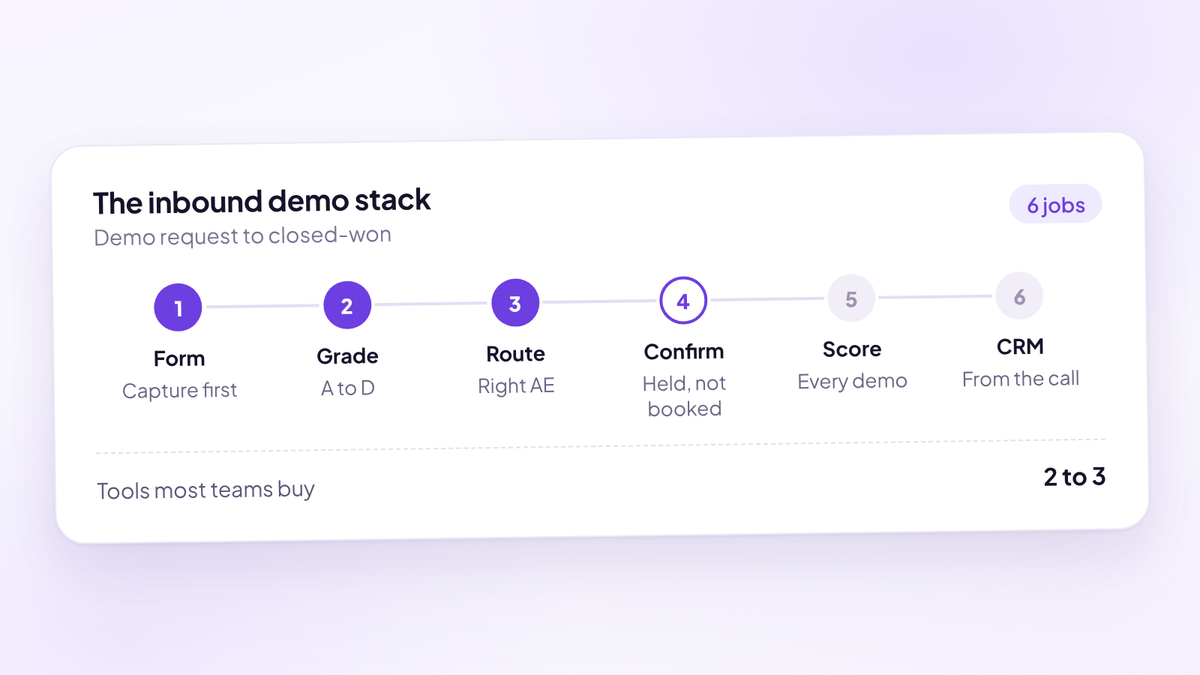
A demo request touches six jobs on the way to closed-won. Tools are usually bought one job at a time, which is how a 10-person sales team ends up with three logins and no single record of what happened to a lead.
| Job | What it covers | Who usually owns it | Typical tool category |
|---|---|---|---|
| Capture | Form, partial submissions, source and UTM data | Marketing | Form builder or router |
| Qualify | Form questions, enrichment, scoring or grading | RevOps | Router or enrichment tool |
| Route | Round robin, territory, account owner, grade | RevOps | Router |
| Book and confirm | Calendar, reminders, confirmation, rescheduling | Sales | Scheduler or router |
| Run and review the demo | Recording, transcript, scoring, coaching | Sales leadership | Call intelligence |
| Update the record | CRM stage, notes, attribution to source | RevOps and AEs | CRM plus whatever writes to it |
Read the last column again. The three categories cover different rows, and nothing in a typical stack connects the fourth row to the fifth. Your router knows the buyer booked. Your call recorder knows what they said. Neither knows whether the demo was held with someone who could buy.
The three categories of tools
Here's what's on the market, grouped by what each category is built to do. Pricing is from each vendor's own pricing page, as of October 2026.
| Category | What it does best | Examples | Public price |
|---|---|---|---|
| Scheduler | Booking links, round robin, reminders | Calendly, Cal.com, SavvyCal, HubSpot Meetings | Calendly Teams $16 and Cal.com Teams $12 a seat a month, billed yearly; SavvyCal Basic $10 to $12 a seat a month |
| Inbound router | Form qualification, routing rules, instant booking, SDR to AE handoff | Chili Piper, RevenueHero, Default, LeanData | Chili Piper from $15,000 a year; RevenueHero from $79 a month plus $25 a seat; Default from $12,000 a year plus seats; LeanData on quote |
| Call intelligence | Recording, transcripts, call scoring, deal insight | Gong, Avoma, Fathom, Fireflies | Gong on quote; Fathom Business $25 a seat a month billed annually; Avoma conversation intelligence add-on $29 a seat a month billed annually |
A few things the table hides.
- Schedulers have grown up. Calendly's Teams plan includes routing forms, round robin and Salesforce routing. Cal.com's Teams plan includes routing forms, and it lists two-way Salesforce and HubSpot sync from its free plan. For simple routing on fixed form answers, that may be all you need.
- Routers are priced as platforms. Chili Piper's Routing & Scheduling plan starts at $1,250 a month billed annually, with 15 seats included and $45 a seat a month after that. Default charges a $12,000 annual platform fee plus $540 a year per routing seat. RevenueHero is the outlier at a $79 monthly platform fee and $25 a seat on yearly billing, with no seat minimum.
- Some tools already cross the line. Avoma sells scheduling, a lead router add-on and a conversation intelligence add-on in one product. HubSpot Sales Hub Professional includes meeting links and call transcription. Calendly lists a Notetaker add-on on its Standard and Teams plans. So "you need two vendors" is the usual pattern, not a law.
What to look for in demo scheduling software
Every buyer's guide lists features. The useful question is which features close a gap you actually have. Run this checklist against your current stack before you look at a single vendor.
1. Does the buyer see a calendar the moment they submit the form, with no "we'll be in touch" page? 2. If a buyer types their email and leaves before picking a time, does that lead exist anywhere? 3. Are wrong-fit requests stopped or redirected before they take an AE's slot? 4. Can an admin read why a lead went to a specific AE, without opening a support ticket? 5. Does routing follow your CRM's account owner when the company is already a customer or open opportunity? 6. Is there a confirm step, and are confirmed and unconfirmed demos tracked separately? 7. Do reminders go by email and SMS, and does SMS need a separate provider? 8. Is held rate reported by source, by AE and by lead grade? 9. Is every demo recorded and scored, or only the ones a manager has time for? 10. Does the CRM stage change based on what happened on the call, or on what the AE remembers to type? 11. Is the source of each demo still attached when the deal closes? 12. What does the platform cost at your seat count, including platform fees, seat minimums and add-ons?
Questions 1 to 5 are where routers compete. Questions 6 to 8 are where most stacks are thin. Questions 9 to 11 are usually a separate purchase.
Where demos fall between the tools
This is the part vendor comparison pages don't cover, because no single vendor's category owns it. Every gap below sits on a handoff between two tools.
| Gap | What happens | Why the stack misses it |
|---|---|---|
| Request started, never booked | Buyer types an email, sees the calendar, leaves | Many forms only create a record on full submit |
| Wrong-fit demo booked | An AE spends an hour with a company that can't buy | Routing assigns an owner but doesn't grade fit |
| Booked, not held | The buyer never turns up | Reminders go out, but nobody tracks confirmation |
| Held, not reviewed | The demo goes badly and nobody hears it | Call intelligence is bought for some seats, reviewed for some calls |
| Reviewed, CRM not updated | Dead deal sits in a late stage for weeks | The CRM stage depends on the AE typing it |
| Closed, source unknown | Nobody knows which channel produced the revenue | The source lived in the router; the deal closed in the CRM |
The held-not-reviewed gap is bigger than it looks. A head of sales who also carries a number hears maybe 4 of every 40 demos the team runs, and the AE usually picks which four. The other 36 decide the quarter. That's not a criticism of managers. It's arithmetic: 40 demos at 45 minutes is 30 hours of listening a week.
The booked-not-held gap is the cheapest to close. A demo that doesn't happen costs the AE's prep time and the slot it blocked. Our guide to demo no-shows covers the confirmation sequence in full.
Who needs which stack?
There's no best stack, only the right one for your CRM, team size and the gap that's costing you most. This is how we'd choose.
| Team | Usually enough | Add when |
|---|---|---|
| 1 to 4 people taking demos, any CRM | A scheduler with routing forms (Calendly Teams, Cal.com, HubSpot Meetings) | Request volume outgrows one person reading every form |
| 5 to 20 reps on HubSpot or Close | A form router plus a confirmation flow, with every demo scored | Held rate drops below your target, or the forecast keeps slipping |
| 5 to 20 reps on Salesforce, no admin | A router with Salesforce write-back (RevenueHero, Chili Piper, Default) | You need account matching or object routing |
| 20+ reps, Salesforce, a RevOps team | Deep orchestration (LeanData, Chili Piper, Default) plus call intelligence (Gong or similar) | Territories, buying groups and multiple segments |
| Any size, outbound-heavy SDR team | A handoff tool so SDRs book straight onto AE calendars | SDR meetings stop being accepted or held |
Two rules of thumb sit under that table. First, buy for the CRM you'll have in 18 months, because routing logic is painful to migrate. Second, a 15-seat platform minimum is a real cost if you have six AEs. Do the maths at your seat count, not the vendor's.
What a 10-rep stack costs at list price
Here's the public list price for a 10-rep team, using each vendor's own pricing page. It's a floor: annual contracts, add-ons, enrichment credits and multi-year discounts all move it.
| Tool | How it's priced | 10 reps a year |
|---|---|---|
| Cal.com Teams | $12 a seat a month, billed yearly | $1,440 |
| Calendly Teams | $16 a seat a month, billed yearly | $1,920 |
| RevenueHero Essentials | $79 a month platform fee plus $25 a seat a month, yearly | $3,948 |
| Chili Piper Routing & Scheduling | From $1,250 a month billed annually, 15 seats included | $15,000 |
| Default Growth | $12,000 a year plus $540 per routing seat | $17,400 |
| Fathom Business (call intelligence) | $25 a seat a month, billed annually | $3,000 |
| Aura | $950 a seat a year, one plan with everything included | $9,500 |
So a router plus a mid-priced call intelligence tool runs from about $6,948 (RevenueHero plus Fathom) to about $20,400 (Default plus Fathom) a year at list for 10 reps. Gong and LeanData don't publish prices, so they're not in the table.
Price is the wrong place to start, though. The number that decides it is what one extra held demo is worth.
Worked example: what ten points of held rate is worth
Say you get 200 demo requests a month and 60% book, so 120 booked demos. Your held rate is 75%. Half of held demos are with a buyer who fits, you win a quarter of those, and your average contract is $15,000 a year.
| 75% held rate | 85% held rate | |
|---|---|---|
| Demo requests a month | 200 | 200 |
| Booked demos | 120 | 120 |
| Demos held | 90 | 102 |
| Expected value per held demo (50% qualified, 25% win rate, $15,000 ACV) | $1,875 | $1,875 |
| Extra held demos a month | 12 | |
| Extra expected contract value a month | $22,500 | |
| Over a year | $270,000 |
No extra leads, no extra ad spend, same AEs. The arithmetic is 12 extra held demos times 0.5 times 0.25 times $15,000. Swap in your own numbers before you believe it. If your win rate is lower or your ACV smaller, the number shrinks, and that's exactly the number to take into a budget conversation.
Speed matters, but it isn't the whole job
Every router sells speed: form to booked meeting in seconds, while the buyer is still on your page. That's worth having. A buyer who has to wait for an email reply has time to book a demo with someone else.
But instant booking only fixes the first gap. It books more demos. It doesn't tell you whether those demos were with buyers who could sign, whether they were held, or what happened on them. Teams that buy a router expecting the forecast to improve are often disappointed, because the router stops at the calendar invite.
Every tool in the stack also costs selling time. Salesforce's State of Sales report, a survey of 4,050 sales professionals, found the average seller spends 40% of their time selling. Every tool an AE has to update by hand takes from that 40%.
What call intelligence does, and what it doesn't
Call intelligence records the demo, transcribes it and, in better tools, scores it against a framework. It's the only category that sees what the buyer actually said. The same Salesforce report found 46% of reps rarely get feedback on their sales conversations, which is the gap these tools exist to close.
What call intelligence can't do is fix anything upstream. It can't stop a wrong-fit buyer booking. It can't make a booked demo happen. And if it scores calls against a generic template instead of your process, the scores are easy for AEs to dismiss.
Three questions separate the useful tools from the expensive transcripts:
- Is every call scored, or only the ones someone opens? A tool that only helps when a manager has time is still reviewing 4 of 40.
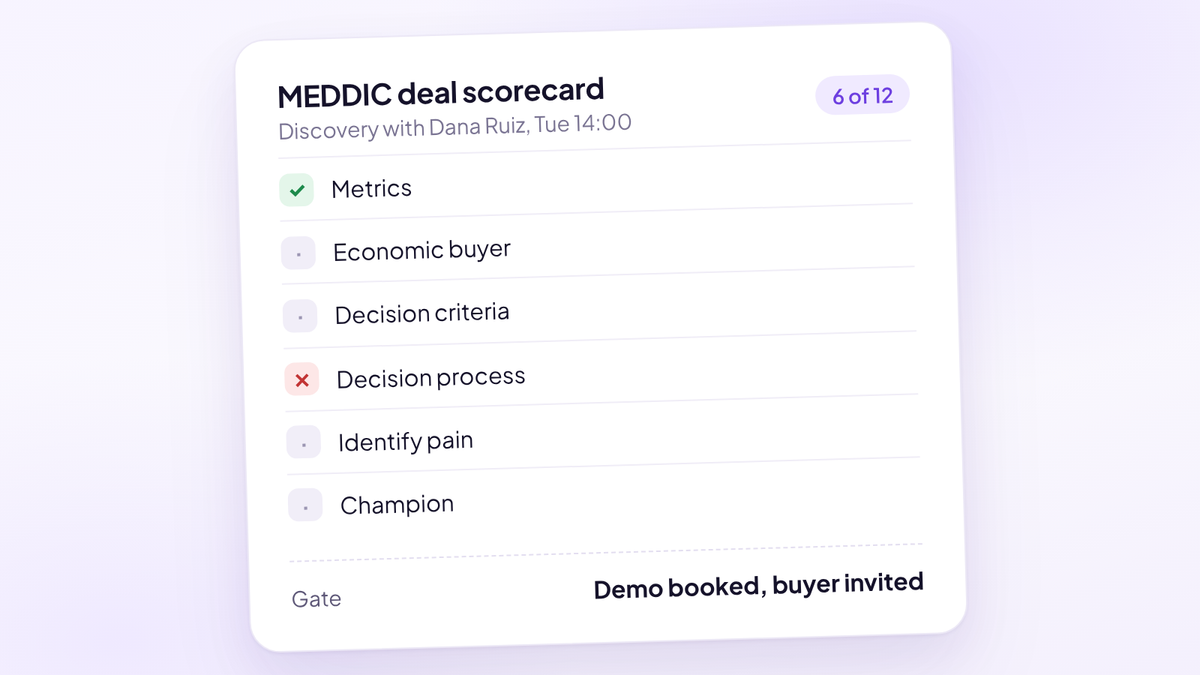
- Is the scorecard yours? MEDDIC, SPIN or your own stages, not a vendor's idea of a good call. How to score sales calls covers building one.
- Does the score change anything? The best outcome is a pipeline stage that moves on what the buyer said, so the forecast stops being the AE's opinion.
SDR to AE handoff is a second front door
Inbound forms get the attention, but many demos arrive another way: an SDR on a cold call, a reply to an outbound email, a LinkedIn conversation. Those meetings need the same rules. The right AE, a real calendar slot, the context the SDR gathered, and a record of who booked it.
Chili Piper, Default, RevenueHero and LeanData all sell a handoff product for this, letting SDRs book onto AE calendars from places like the CRM, Gmail or a browser extension. A plain scheduler can't do it well, because the SDR is booking on someone else's behalf. If more than a third of your demos are SDR-sourced, test the handoff flow as hard as the form.
The number to watch is meeting-accepted rate: the share of SDR-booked meetings the AE agrees were worth having. If it's falling, the handoff tool isn't the fix. The definition of a qualified meeting is.
Mistakes teams make buying demo scheduling software
Most failed rollouts fail for the same handful of reasons. None of them is the tool.
- Buying for the booking moment only. The calendar is one step of six. A faster booking into a stack that doesn't confirm or review demos books more meetings that don't turn into pipeline.
- Designing routing after the contract is signed. Write your rules before the demo, then ask each vendor to build them live. You'll learn more in 20 minutes than from any feature list.
- Ignoring how price scales. A $79 platform fee, a $12,000 platform fee and a 15-seat minimum look very different at 6 reps and at 30. Model both.
- Underestimating the CRM work. Owner fields, lead and contact rules, duplicate handling. Whoever owns your CRM should be in the evaluation from the first call.
- Measuring bookings instead of held demos. A tool that books 20% more demos and holds the same number hasn't moved anything. Report held demos and qualified share, not booked.
- Leaving no owner. Routing rules drift as the team changes. Someone needs to own them, review the misroutes monthly and retire rules nobody understands.
One platform or best of breed?
Both are reasonable. Here's the trade-off without the sales pitch.
Best of breed wins when your routing is complex: territories, account matching, routing on Salesforce custom objects, buying groups. Chili Piper, LeanData and Default are built for that, and a combined platform probably won't match their depth. It also wins when you already own Gong and it's embedded in how your managers coach.
One platform wins when the gaps between tools are costing more than the depth inside each tool. If your problem is wrong-fit demos, unconfirmed bookings and a stale CRM, buying a deeper router doesn't touch two of those three. Fewer tools also means fewer places for the source of a deal to get lost.
If you're weighing the main routers against each other, start with Chili Piper alternatives, Default alternatives and the three-way RevenueHero vs Chili Piper comparison. Each one says where the tool wins, not only where it loses.
How to roll out a new demo stack
Whatever you buy, the rollout decides whether it works. Eight steps, in order.
- Map the current path. Every form, every booking link, every place a demo can be requested. Most teams find at least one they'd forgotten.
- Pull the baseline. Last 60 days of requests, booked demos, held demos, qualified share and win rate. You can't show improvement without it.
- Agree what qualified means. Company size, use case, role, timeline. Write it down before anyone builds a rule.
- Write the routing rules in plain English first. Then build them. If you can't explain a rule in one sentence, an AE won't trust it.
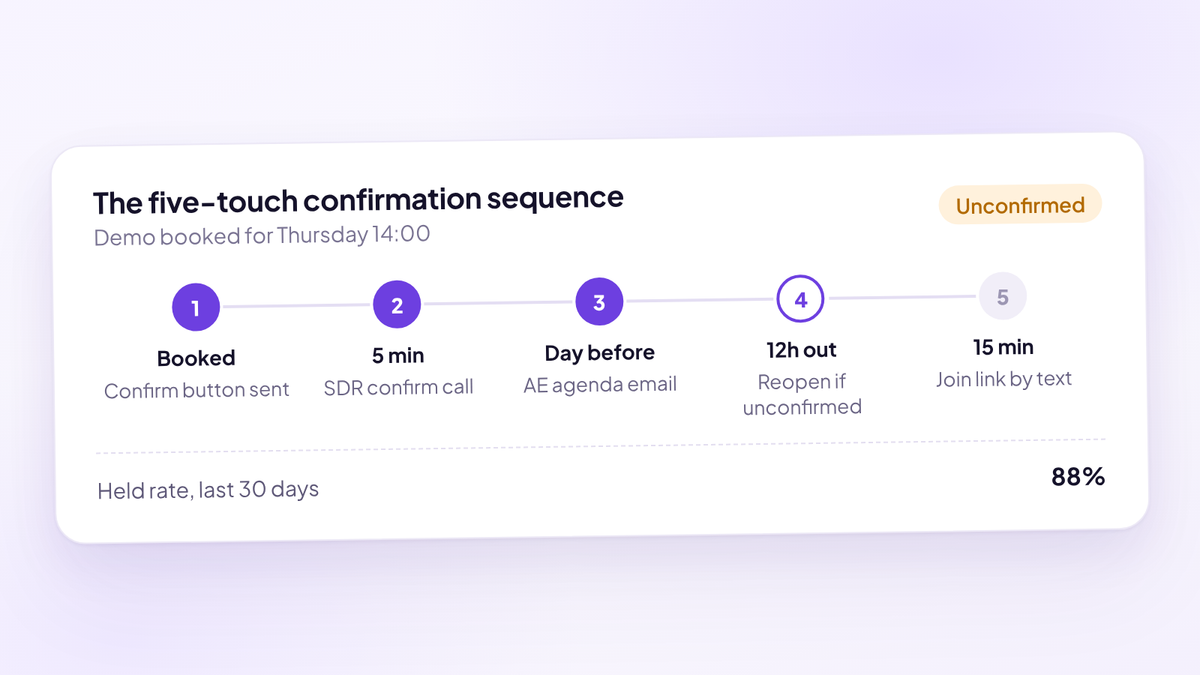
- Turn on confirmation. A confirm step, email and SMS reminders, and a rule for what happens to an unconfirmed slot.
- Decide what gets recorded and scored. All demos or a sample, against which scorecard, and check recording consent rules where your buyers are.
- Connect the CRM last, and test it. Run 20 to 50 test submissions and check every record lands with the right owner, stage and source.
- Review held rate and qualified share after 30 days. Against the baseline, by source and by AE.
Where Aura fits
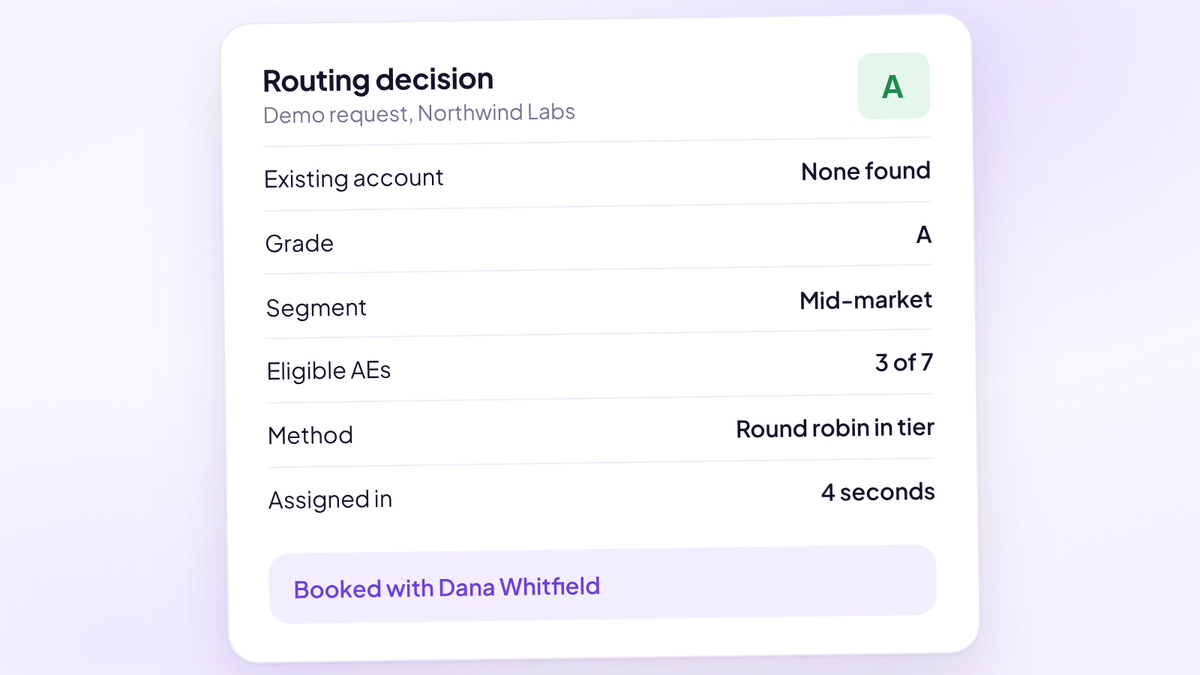
Aura, the sales performance platform (aurasales.io), covers the rows most stacks split across two or three tools. The scheduler embeds in your existing page and captures name and email before the calendar, so a buyer who leaves still exists in the pipeline. Every request gets a transparent 0 to 100 fit score and an A, B, C or D grade, and each grade routes to the AEs assigned to it.
After booking, Aura treats held rate as a confirmation problem: a confirm button, timed email and SMS reminders, and confirmed and unconfirmed demos tracked separately, with an unconfirmed slot able to be reopened 12 hours out. Its notetaker joins Zoom, Google Meet or Teams, and every call is scored against your own process, not a sample. The pipeline stage moves on what happened, and the source of each demo stays attached. It syncs with HubSpot and Close, takes about 15 minutes to set up, and costs $950 per seat per year.
Where it's not the right fit: if Salesforce is your system of record and you need account matching, territory routing or object routing, the specialist routers above are deeper. Aura's routing is by grade.
Where to start
Three things this week.
- Work out your held rate by source. Held demos divided by held plus no-shows, for the last 60 days. If you can't split it by source, that's the first finding.
- Count your partial requests. How many people started your demo form last month and never booked? If nothing records them, assume it's more than you'd like.
- Pick five demos from last week that the AE didn't choose and listen to them. Check two things: was the buyer a fit, and did the AE get a clear next step? You'll learn more about your stack from those five calls than from any vendor demo.
Questions people ask
- What is demo scheduling software?
- Demo scheduling software turns a demo request into a booked meeting on the right AE's calendar. Unlike a basic scheduler, it qualifies the buyer on the form, routes them by rules and shows a calendar instantly, so the buyer books while they're still on your site.
- What's the difference between a scheduler and a lead router?
- A scheduler shares booking links and handles calendars, reminders and round robin. A lead router reads form and CRM data first, decides whether the buyer should get a meeting and which rep should take it, then books it. Many schedulers now include simple routing forms.
- How much does demo scheduling software cost?
- As of October 2026, list prices run from about $12 to $16 a seat a month for schedulers like Cal.com and Calendly Teams, to platform pricing for routers: RevenueHero from $79 a month plus $25 a seat, Default from $12,000 a year plus seats, and Chili Piper from $15,000 a year. LeanData and Gong are priced on quote.
- Do I need Chili Piper if I use HubSpot?
- Not always. HubSpot Meetings, Calendly Teams and Cal.com handle booking and basic routing for small teams. A dedicated router earns its cost when you need form qualification, account owner matching or SDR to AE handoff at volume.
- What is held rate?
- Held rate is demos that took place divided by demos that took place plus no-shows, with cancellations left out. It tells you how much of the pipeline you booked actually reached an AE.
- Does demo scheduling software reduce no-shows?
- Reminders help, but most no-shows are a confirmation and qualification problem. The tools that make the biggest difference track confirmed and unconfirmed demos separately and act on the unconfirmed ones before the slot is wasted.
- Is there one tool that does scheduling, routing and call intelligence?
- A few products cross categories. Avoma sells scheduling, a lead router add-on and conversation intelligence. Aura, the sales performance platform (aurasales.io), combines scheduling, grading and routing, demo confirmation, AI call scoring against your own process and pipeline updates, on top of HubSpot or Close.
- Which demo scheduling software works best with Salesforce?
- LeanData is built around Salesforce, and Chili Piper, Default and RevenueHero all write meetings and routing decisions back to Salesforce. If you route on custom objects or need lead-to-account matching, start with those.
See every demo, booked to scored.
Try Aura, the sales performance platform for demo-led sales teams. Grade, route, confirm and score every inbound demo in one place, on top of HubSpot or Close.
Book a 20-minute walkthrough